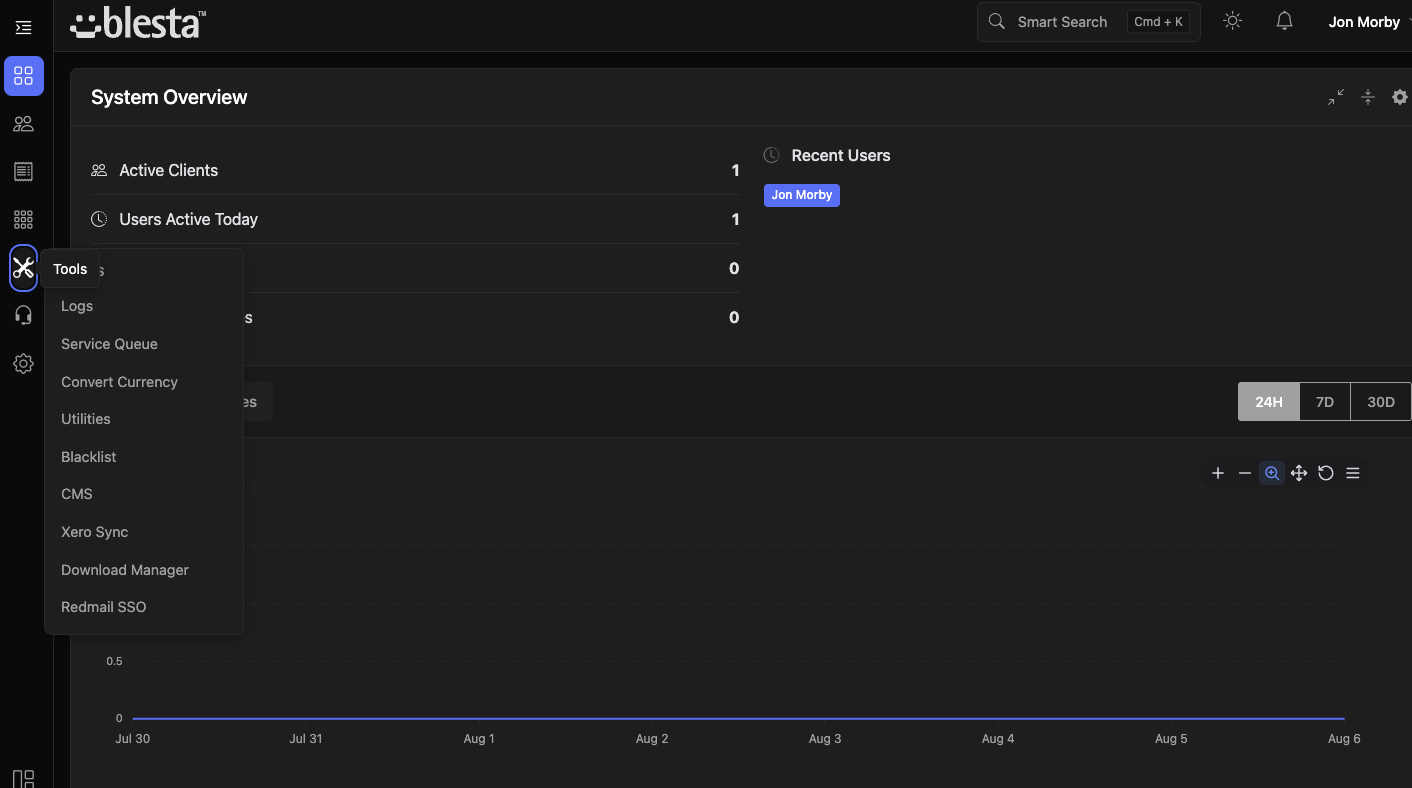
Paradigm, minus the clutter. Vanilla keeps everything Blesta 6's admin theme got right and fixes the parts that made it feel heavy — a narrower sidebar, fly-out menus, tooltips throughout, and a calmer, more streamlined layout.
Paradigm was a big step forward for Blesta 6 — a genuine visual refresh after years of the old admin theme. But it shipped with a wide, fixed sidebar that ate into working space, deeply nested menus with no quick way in, and dense screens with very little in the way of inline guidance. Vanilla is our fix: the same modern foundation, restyled and rebuilt so the interface gets out of your way instead of fighting you for space.
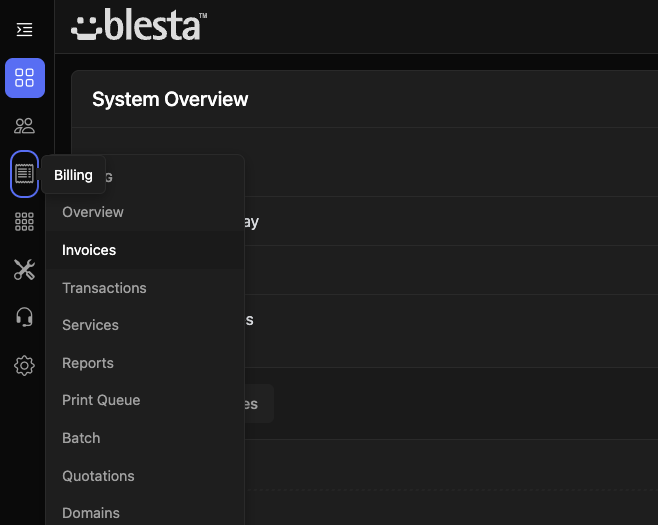
Every change is aimed at the same goal — less friction, more screen
Reclaims horizontal space from Paradigm's oversized navigation column, so tables, forms, and dashboards get the room they actually need.
Nested sections open as fly-outs instead of pushing the page around or forcing repeated clicks through collapsed accordions to get where you're going.
Icon-only buttons, status badges, and terse labels get on-hover explanations, so nothing requires a guess or a trip to the documentation.
Tighter spacing and a more consistent type scale across tables and forms cut down on the visual noise Paradigm's default layout tends to produce.
A single, coherent icon set replaces Paradigm's mix of styles, so every menu item and action button reads the same way at a glance.
Fewer clicks to reach any admin screen, with the fly-out menus and trimmed sidebar working together to shorten every common path through the panel.
Same foundation, refined where it counts
Wide, fixed sidebar takes up space on every screen, even when collapsed sections leave it mostly empty
Nested menu items require repeated clicks through accordion sections to reach
Icon-only controls and status badges with no inline explanation
Uneven spacing and mixed icon styles across tables and forms
Narrower sidebar reclaims that space for the content you're actually working on
Fly-out menus surface nested items in a single hover, no accordion digging
Tooltips on every icon button, badge, and terse label
Consistent spacing and a single icon set across the whole admin panel
Built as a drop-in replacement for the stock Paradigm admin theme
Vanilla themes the staff admin panel; your client-facing portal theme is unaffected
Upload via Blesta's Settings → System → General — no code changes or file permissions to fight
Free, drop-in, and built to stay out of your way. Download Vanilla and see the difference in minutes.